MonjiMonjiRUTelegram

Payment & payment security

Payment methods, rules, security and pricing. All settlements are in Belarusian rubles (BYN).

// PAYMENT

Where are you paying from?

Pick your region — we'll show the right payment methods.

// PAYMENT

Payment methods

Acquiring bank logo — replace with the file from your contract VISA Mastercard БЕЛКАРТ / BELKART МИР / MIR ЕРИП / ERIP

VISA

Visa payment-system bank cards. Online payment via the secure payment page of the acquiring bank.

Mastercard

Mastercard payment-system bank cards. 3-D Secure confirmation is supported.

BELKART

BELKART, the national payment system of the Republic of Belarus. Card payment in Belarusian rubles (BYN).

MIR

"Mir" payment-system cards — for the convenience of payers from the Russian Federation.

ERIP (Raschet)

Payment via the "Raschet" (ERIP) system: services tree → seller's section → enter the order/contract number. Available in internet banking, info-kiosks and ATMs.

Acquiring bank (replace with the file from your contract)

Payments are accepted by an authorized acquiring bank under a contract. Replace the bank logo with the official file from your acquiring agreement.

// PAYMENT

Pricing & subscription

Trial period

7 days free

Full access to all Monji features — install it, set it up your way and decide whether you need a subscription. No upfront payment.
Annual premium subscription

on request · BYN

Access to paid features for 12 months. Sign-up and current pricing — via the sales team @monjaro_monji_sales. Payment in Belarusian rubles.

Personal installation in Minsk

on request · BYN

Turnkey Monji installation and setup in Minsk by appointment. Scope of work and price in BYN agreed in advance.

All prices and settlements are stated in Belarusian rubles (BYN). For non-resident payers the cost may be shown for reference in EUR/USD/RUB at the rate at the time of payment; the actual charge is made in the currency defined by the terms of the bank and the payment system. Provide the exact plan amounts (annual premium subscription, personal installation/setup) in BYN.

// RULES

Payment rules

Payment by bank card (Visa, Mastercard, BELKART, MIR). When placing an order you are redirected to the secure payment page of the acquiring bank. Enter the card number, expiry date and the CVV/CVC code. The payment is confirmed via 3-D Secure (a one-time code from the bank). After a successful charge, access to the digital service is granted automatically.

Payment via the "Raschet" (ERIP) system. In internet banking, the bank's mobile app, an info-kiosk or an ATM choose: the "Raschet" (ERIP) system → services tree → seller's section → the required service. Enter the order (contract) number and amount, and confirm the payment. Crediting usually takes a few minutes. (The exact ERIP tree path and service code are provided after registration in the "Raschet" system.)

All settlements are made in Belarusian rubles (BYN). For non-resident payers the amount may be shown for reference in EUR/USD/RUB at the rate at the time of payment; the actual charge is in the currency defined by the terms of the acquiring bank and the payment system.

No payment fee is charged by the seller. Any fees of the sending bank or payment system are governed by the cardholder's agreement with their bank.

By making a payment, the payer confirms agreement with the terms of the digital service (subscription) and these payment rules.

// SECURITY

Payment security

  • The payment is processed on the secure page of the acquiring bank; card data is entered directly in the bank's payment system.
  • 3-D Secure (Visa Secure, Mastercard Identity Check) is supported — operation confirmation via a one-time code from the bank.
  • We do not store or pass to third parties the details of your bank cards (number, expiry date, CVV/CVC).
  • Transmission of payment data is protected by TLS (HTTPS) encryption.
  • The site runs on a single domain with a valid security certificate; there are no broken or insecure links on the payment pages.
  • Hosting and data processing are arranged in line with the legislation of the Republic of Belarus (BelGIE); server infrastructure is located in Belarus.
  • If you suspect an unauthorized transaction, contact the issuing bank and our support immediately.

// ORDER

Ordering procedure

  1. Choose the car brand and model (Geely Monjaro / Geely Cityray / Volga K50) and a suitable plan: the 7-day trial, the annual premium subscription, or personal installation/setup in Minsk.
  2. Submit a request via the sales Telegram @monjaro_monji_sales (or another specified contact), stating your car model and the chosen plan.
  3. Receive an invoice/payment link and an order (contract) number from the manager.
  4. Pay by a convenient method: bank card (Visa/Mastercard/BELKART/MIR) or via ERIP in Belarusian rubles (BYN).
  5. After payment is confirmed, receive the installation link and instructions; subscription activation happens automatically.
  6. Install the app on the stock head unit (yourself by the instructions or with personal installation in Minsk).

// ORDER

Order fulfilment control

  • Each order is assigned an order (contract) number used to track the status of payment and access provision.
  • The subscription status, activation date and last sync can be checked in the app itself (the "Support & subscription" section).
  • The fact of payment is confirmed by an electronic document (receipt / ERIP receipt / payment-system notification) sent to the payer.
  • Fulfilment control and support are provided via the Telegram channel @monjaro_monji and the sales manager @monjaro_monji_sales; bugreport submission is available in the app.
  • If access cannot be provided through the seller's fault, payment is refunded as described in the refund rules.

// DOCUMENTS

Payment-confirmation document

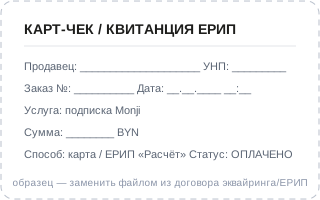
The document confirming payment is an electronic document generated upon payment: an electronic receipt (card receipt) of the acquiring bank, a "Raschet" (ERIP) receipt, or a payment-system notification of a successful transaction. The document is sent to the payer at the specified e-mail and/or is available in internet banking. The payment-confirmation document sample — replace with the current sample from your acquiring/ERIP contract (PDF or image).
Payment-confirmation document sample — replace with the file from your contract
Sample. Replace with a real card receipt / ERIP receipt from your acquiring contract.
Pay by bank card or via ERIP — securely, in BYN.Payment methods →